
How To Generate Licence key for Gluon ERP
First of all open the software with Admin , go for help , about us and than follow
given instructions.
1-Go For Help:-
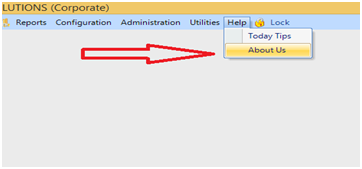
When you open the software , go to the help and then about us .
2-Get Finger print :-
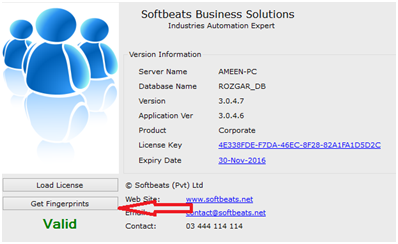
Get finger print from the get fingerprint button .
3-Select Location and Save:-
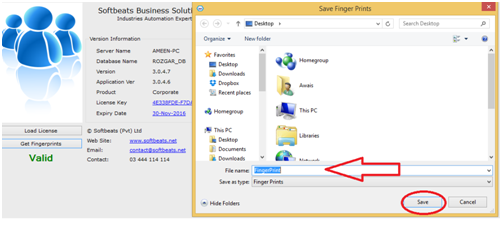
Third step is to select the location, enter the file name and click on the save button.
4-Email to Softbeats Team:-
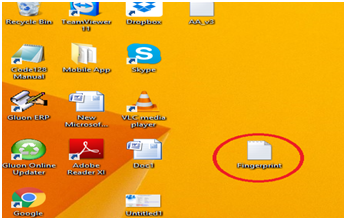
Now the step is the finger print file mail to softbeats team for further working
On this email address support@softbeats.net
5-Email Reply:-
On the email reply softbeats team mail you License file with extension .sbfb
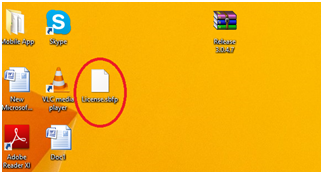
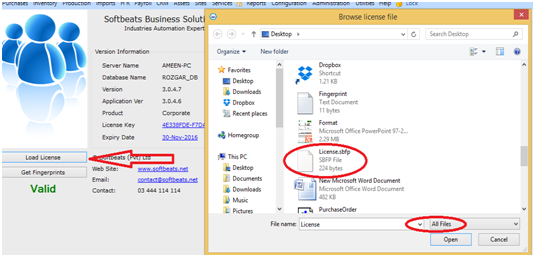
6-Load the License file:-
The last step is load the License file, click on the Load button and then select License file.
Comments
0 comments
Please sign in to leave a comment.